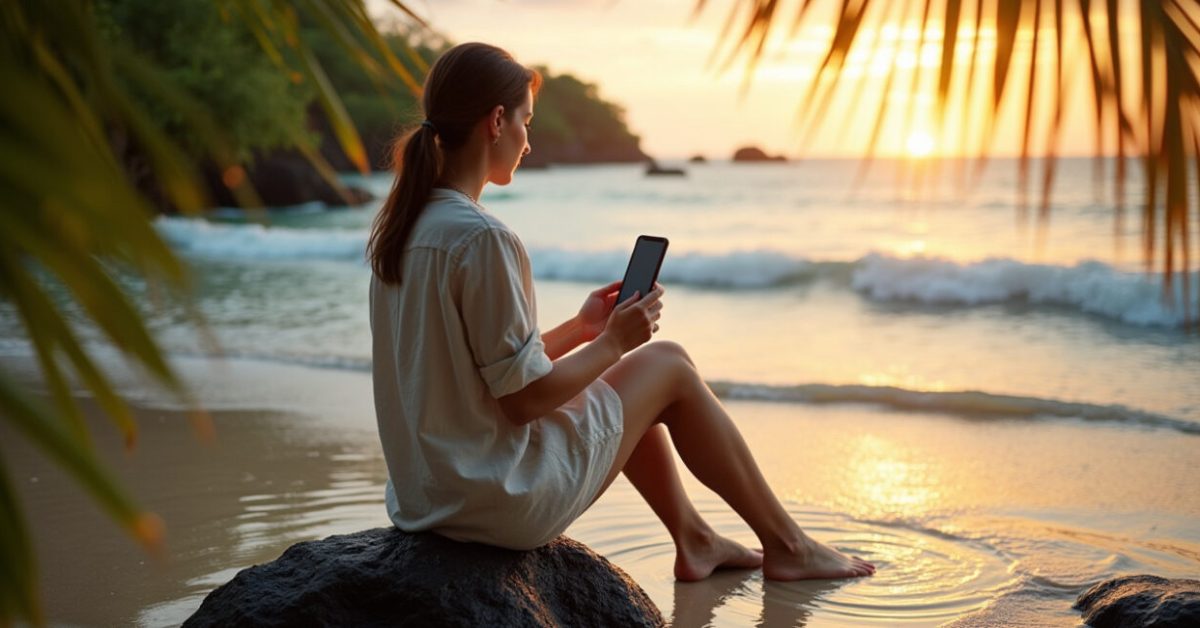

The tide had just kissed the shore when the photo on my phone went flat and lifeless — sunlit palms turned gray, lagoon blues gone dull. That moment taught me more about editing Indonesian scenes than any manual: tropical light needs respect, not force. If you want punchy colours that feel like Indonesia — not like a vacation postcard from a filter app — keep reading. You’ll get actionable post-processing workflows, quick fixes, presets that actually help, and the guardrails to avoid overcooking the mood.
The Tropical Hue Trick: How to Keep Greens Lush Without Making Them Fake
One bold move changes most tropical shots: shift your greens toward warm teal, not neon lime. In my workflow for editing Indonesian scenes, I start by nudging the HSL greens toward yellow-ish teal, then drop saturation slightly. That keeps foliage feeling humid and alive. Work in small steps. A +8 hue with -15 saturation reads natural; +25 looks toy-like. Use targeted masks on leaves to protect skin tones and sky. The result: greens that breathe, not glow.
Contrast and Clarity: Where to Add Grit and Where to Soften
Contrast is a scalpel, not a sledgehammer. For editing Indonesian scenes, add global contrast sparingly, then use local adjustments. Increase midtone contrast to give texture to volcanic rock and rice terraces. Apply selective clarity (+10 to +25) on textures and reduce clarity on faces and distant haze. If you want depth, use a subtle vignette and lift shadows a touch. Small, layered tweaks beat one big slider every time.

Color Grading Workflow: Three Steps to Set the Mood
Grading decides whether the image whispers or shouts. My three-step grade for editing Indonesian scenes is: base balance, mood color, and finish. First, fix white balance and exposure. Second, add a mood split—cool the shadows toward teal and warm the highlights slightly. Third, apply a filmic curve or LUT at low opacity for cohesion. This order keeps edits readable and reversible. A film curve at 15–25% often ties colors together without forcing a look.
Presets and LUTs That Actually Save Time (and How to Tweak Them)
Presets are starting points, not final answers. When editing Indonesian scenes, pick presets that emphasize tonal range over extreme color shifts. Use presets that: enhance midtones, nudge greens and cyans toward tropical hues, and add subtle grain. Tweak exposure, HSL, and masking after applying. A common fail: hitting preset intensity to 100%. Instead, reduce to 20–40% and adjust. Keep a “safety” layer with neutral settings you can toggle to compare before/after.
Quick Fixes for Common Lighting Problems in Indonesia
There are predictable challenges when editing Indonesian scenes: blown highlights from midday sun, muddy shadows in forests, and skin tones washed by strong reflections. Quick fixes: recover highlights first, then raise shadow detail selectively, apply a warmed local brush to skin, and reduce blue cast by slightly warming midtones. Use graduated filters for sky and radial filters for faces. These quick steps rescue many shots in under five minutes.
What Photographers Keep Getting Wrong (and What to Avoid)
People love saturation, but overdoing it is the top sin in editing Indonesian scenes. Common errors to avoid:
- Cranking saturation for an instant pop — leads to banding and fake skin tones.
- Over-sharpening global detail — creates halo artifacts on leaves and water.
- Using one LUT for all images — different scenes need different tweaks.
The Before/after That Surprises Everyone (mini-story + Comparison)
We shot a beach wedding at dawn. The OOC files were charming but flat. I moved the green toward warm teal, warmed highlights, pulled back saturation, and added local clarity to lace on the sand. The difference wasn’t about more color — it was about correct relationships: skin looked healthy, sea looked deep, sky read soft. The before felt lukewarm; the after looked like the place actually smelled of salt and frangipani. That expectation vs. reality comparison is what good editing Indonesian scenes is about.
For technical reference on light and color, consult resources like the NOAA climate summaries for Southeast Asia and university color science papers. For landscape data and protected areas info in Indonesia, see official resources like the Government of Indonesia portal and educational research from institutions such as Harvard University.
Now: go pick a shot that felt close but not quite there. Try the three-step grade, preserve skin tones, and treat presets like starting recipes. Editing Indonesian scenes is about restraint as much as skill. A little confidence—applied in the right place—makes the island breathe in your photograph.
How Do I Start When My RAW File Looks Dull?
Begin with exposure and white balance. Correct these first, then address contrast and noise. For editing Indonesian scenes, warm the highlights slightly to recover sunlight and nudge greens toward teal in HSL to restore the tropical feel. Use a lens profile for basic correction and apply subtle shadow recovery. Work in small increments so you can revert if needed. This sequence stabilizes the image and makes later creative choices easier and faster.
Which Presets or LUT Types Work Best for Tropical Landscapes?
Look for presets that prioritize tonal range and subtle color shifts rather than bold, single-color tints. Good choices for editing Indonesian scenes nudge greens and cyans toward warm-teal, add gentle contrast in the midtones, and keep highlights soft. Grain and film curves at low opacity help cohesion. Always apply at 20–40% intensity and tweak HSL after. Presets that claim “instant tropical” often over-saturate; treat them as starting points, not final looks.
How Can I Protect Skin Tones While Enhancing Foliage and Sky?
Masking is your friend. Use selective masks or luminance ranges to isolate skin tones so adjustments to greens and blues don’t touch human tones. In editing Indonesian scenes, lower saturation and shift hue only within targeted channels, and use a local brush to warm skin if needed. If you use global changes, counter them with a skin-tone desaturation or a warm brush. The aim: vibrant environment without orange or green faces.
What Quick Fixes Help with Harsh Midday Light?
Harsh midday light often wrecks highlights and flattens detail. Fix it by recovering highlights, reducing contrast slightly, and adding fill with lifted shadows. Apply graduated filters to bring back blue in the sky and a subtle radial filter to soften faces. For editing Indonesian scenes, convert harsh sunlight into warm highlights and balance with cooled shadows to recreate depth. These moves often save a shot without needing complex local adjustments.
When Should I Avoid Heavy Grading or Stylized Looks?
Avoid heavy grading when the image’s story is naturalism: cultural portraits, documentary scenes, or conservation work. In those cases, accuracy of color and texture matters more than style. For editing Indonesian scenes, if the aim is to inform or preserve nuance—like species ID or traditional garments—lean toward minimal edits. When in doubt, compare to the original. If the edit distracts from the subject, simplify it.