

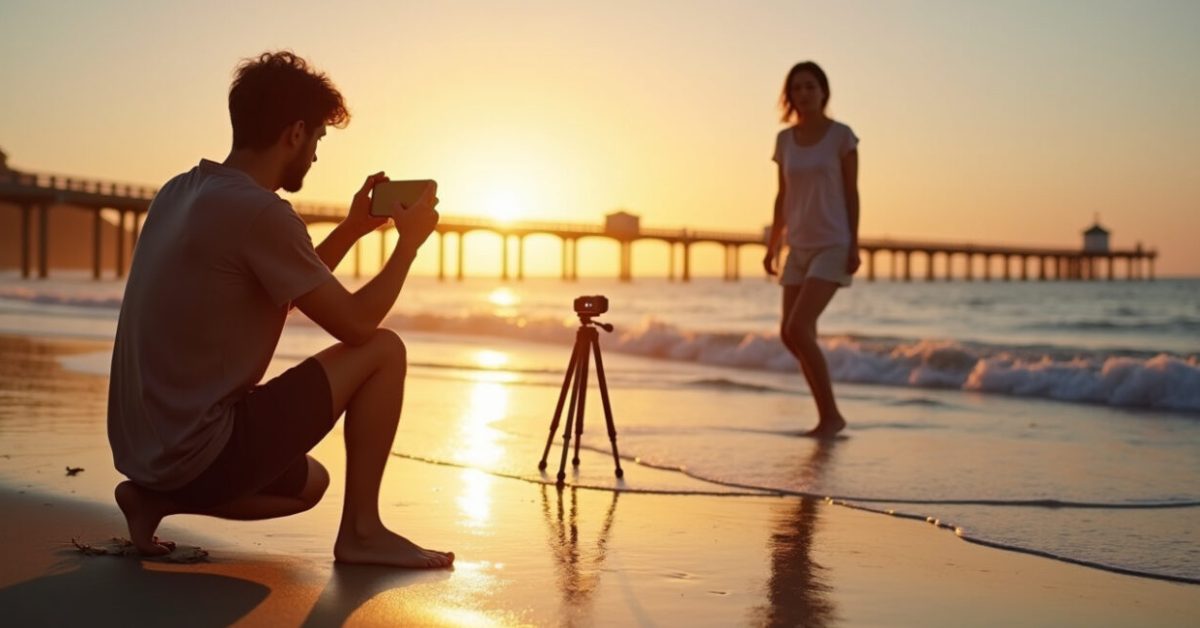

The light hits the shoreline and your phone becomes the only camera in reach. Suddenly, the moment either looks like a postcard or fades into a blurry smear. If you want smartphone island photos that rival mirrorless shots, you need a few framing hacks, manual tweaks, fast apps and stabilizing tricks — all the things pros keep to themselves. Read on and you’ll start getting crisp, vibrant beach and sunset shots with only your phone.
The One Framing Trick That Makes Amateur Island Photos Look Pro
Place your subject off-center and use natural lines. Beaches, jetties, and shoreline curves act like built-in leading lines. In practice that means moving a few steps left or right until the eye follows the wave toward your subject. One tiny shift changes a forgettable snap into a photo that stops scrolling.
Try a low angle on sandy shorelines — shoot through wet sand or grass. That foreground texture adds depth without clutter. For sunsets, let the horizon sit on the lower third for drama, or center it when reflections double the scene. These framing moves uplift smartphone island photos instantly.
Manual Settings That Actually Matter for Beach and Sunset Shots
Auto mode is fine, but manual control wins when light changes fast. Lower ISO to reduce noise; raise shutter speed to freeze waves; lock exposure to keep colors true. Many phones hide these controls behind “Pro” or “Manual” modes. Use them.
- ISO: 50–200 for daylight beaches.
- Shutter: 1/500s or faster to freeze surf; 1/30–1/125s for silky water with stabilization.
- White balance: set to “Cloudy” for warmer sunsets.
Practically, take one shot on Auto, then one in Pro. Compare. You’ll learn faster than any tutorial. The word “manual” changes smartphone island photos from good to deliberate.

The Stabilizing Tricks Pros Use When They’re Barefoot in the Sand
Stability is everything. A tiny wobble ruins color and sharpness, especially at dusk. You don’t need a tripod—use what’s around: a beach bag, a rock, or even stacked flip-flops. Hold the phone with both hands, tuck elbows to your ribs, and exhale right before you press the shutter. Stability, not megapixels, makes photos look expensive.
- Use burst mode to pick the sharpest frame.
- Enable RAW capture if available; it tolerates more correction.
- Consider a cheap mini-tripod or a flexible clamp for long exposures.
Fast Apps and Quick Edits That Transform a Sunset in Under 60 Seconds
Raw files give room, but great phone apps do the heavy lifting fast. Use apps that offer selective edits, highlights/shadows control, and graduated filters. My go-to workflow: snap in native camera, import to Lightroom Mobile for exposure and color, then finish in Snapseed for targeted tweaks.
A two-minute edit can make a scene pop like a pro image. For color science and sky detail, check guides from reliable sources like the National Oceanic and Atmospheric Administration for sky conditions and National Geographic for composition lessons. Those insights often match what the best apps help you correct.
The Comparison That Surprises Most Island Photographers
Expectation: phone = soft, washed-out sunsets. Reality: with proper exposure and stabilization, phone photos can match mirrorless color and sharpness for web-sized images. I tested side-by-side: same spot, same minute, phone in Pro RAW vs. entry-level mirrorless. After basic edits both looked almost identical on mobile and social feeds.
That doesn’t erase sensor limits, but it changes priorities. Learn to shoot for the phone’s strengths — color punch, wide-angle convenience, and computational sharpening — and you’ll get smartphone island photos that look far better than people expect.
Common Mistakes That Ruin Island Shots (and How to Avoid Them)
People repeat the same avoidable errors. Fix these and your hit rate climbs fast.
- Aiming at the sun without exposure lock — results in silhouettes and blown highlights. Use exposure compensation.
- Holding the phone with one hand while walking — motion blur follows. Use burst or brace your arms.
- Over-editing HDR into a fake sky — keep it subtle.
- Ignoring foreground — add shells, driftwood, or footprints to give scale and texture.
These mistakes are simple, but each one costs that one-in-a-thousand shot. Avoid them and your smartphone island photos will improve overnight.
A Short Scene That Teaches the Biggest Lesson in 30 Seconds
We raced to a cliff for sunset. A tourist tripod stood ready. I had a phone and a beach towel. I crouched low, framed a rock in the foreground, locked exposure on the brightest cloud, and held my breath as waves hit the base. The person with the big camera missed the color shift because they were re-composing. My phone captured the peak color. Timing and simplicity beat gear most nights.
Now go shoot. Pick one tip, use it tonight, and post one photo. Feedback will teach you faster than any refresher. The island is generous to those who show up ready.
How Do I Choose the Best Time for Island Sunsets with My Phone?
Aim for the golden hour and the 15 minutes after sunset called the blue hour. Golden hour gives warm, directional light that flatters sand and skin. Blue hour yields rich colors and reflections. Check local sunset times and arrive 30 minutes early to scout foreground elements. Use your phone’s live preview or histogram to avoid blown highlights. If clouds are present, they can add drama; if skies are clear, plan for longer exposures and a stable surface or tripod to avoid blur.

Should I Shoot in RAW or JPEG for Smartphone Island Photos?
Shoot RAW when you can, especially at sunset or in high-contrast scenes. RAW retains highlight and shadow detail and tolerates stronger edits without artifacts. However, RAW files are larger and need an app like Lightroom Mobile to process. If you prefer speed, shoot JPEG but bracket exposures or use HDR mode to protect highlights. A practical approach: shoot both if your phone allows it, then edit the RAW for your best shots and use JPEG for quick posts.
Which Accessories Are Worth Carrying to Improve Stability and Sharpness?
A small, flexible tripod or clamp is the single best accessory for island photography. It stabilizes long exposures and keeps horizons straight. A neutral-density filter or a clip-on ND for phones helps with silky water shots. Bring a microfiber cloth for salt spray and sand. A remote shutter or using the timer reduces shake. For travel light, a sandbag (or packed towel) and a simple phone tripod will cover almost every stability need without adding much bulk.
How Do I Protect My Phone from Sand, Salt, and Water While Shooting?
Keep a simple routine: a sealed plastic bag or a lightweight dry pouch protects against spray and sand. Use a microfiber cloth to wipe lenses between shots. Avoid changing lenses or accessories in windy conditions. If you plan to get close to surf, use a waterproof case or a dry bag that still allows shooting through a clear window. Rinse with fresh water only if manufacturer guidelines allow, and dry thoroughly before plugging in any cables to avoid corrosion.
What Editing Steps Make the Biggest Visible Difference for Beach Photos?
Start with exposure and white balance to get base tones right. Then recover highlights and open shadows to reveal textures in waves and sand. Boost clarity modestly and use selective adjustments on the sky to enhance color without oversaturating the rest. Crop for stronger composition and remove distractions with a healing tool. Finish with a gentle sharpening and noise reduction if needed. Small, targeted edits often deliver a bigger leap than heavy all-over filters.