

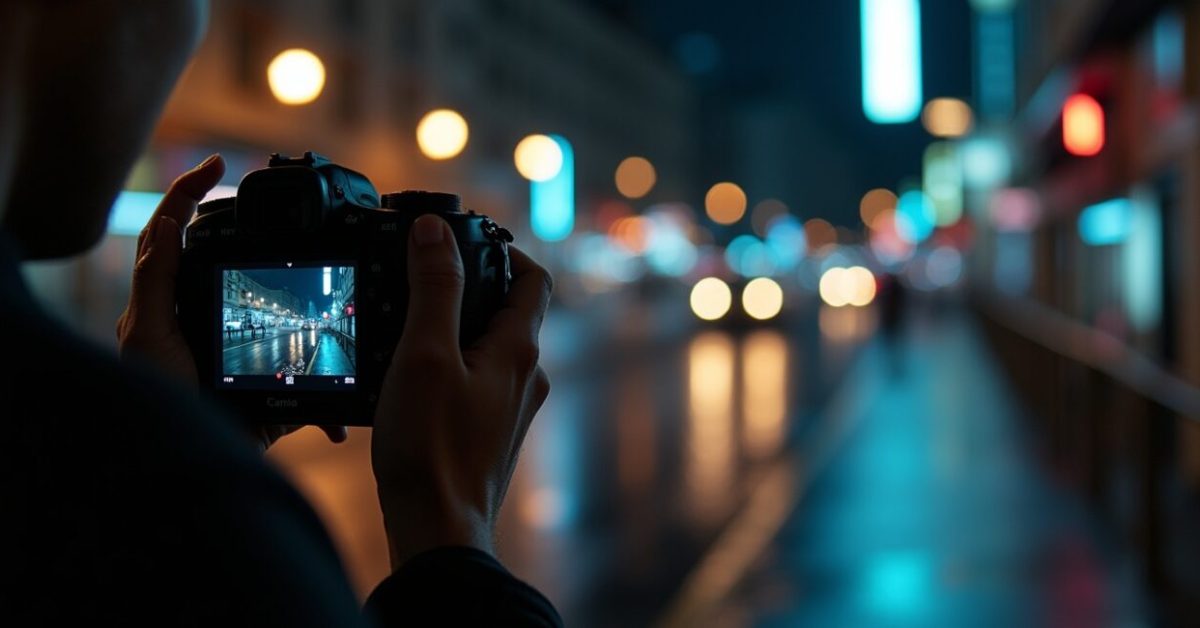

Three frames in and the scene suddenly looks cleaner: less blotchy color in shadows, motion edges don’t smear into ghostly streaks, and faces — at last — keep their texture instead of turning into watercolor. Sony shipped a low-light firmware update that promises exactly this. If you use a Sony camera for handheld night shoots, this update is the one that will make you stop and re-evaluate your go-to exposure settings.
What Sony Actually Changed Under the Hood
Sony didn’t just tweak ISO labels — they reworked the signal chain. The update adjusts readout timing, rebalances the ISP’s noise reduction thresholds, and introduces a revised temporal noise algorithm that leans harder on motion-aware frame blending. On a technical level: reduced analog gain emphasis, modified dark-frame subtraction parameters, and a tweak to the demosaic pipeline to preserve micro-contrast. These are the kinds of changes that affect grain texture and motion fidelity differently than a simple “better low-light” claim.
The One Setting You Should Test First (and How It Will Surprise You)
Turn down NR in-camera and shoot raw — then compare. Expect cleaner raw files with the new firmware because the ISP now offloads more work to temporal denoising. That means in-camera JPEGs might look more processed by default, while raw images retain recoverable detail. Try ISO 6400 handheld: you may see less color blotch but slightly softer motion detail. The surprise is that lowering per-frame noise often improves stacked-night shots more than aggressive single-frame denoising ever did.
Real-world Impact on Noise Vs. Motion — The Trade-offs Explained
This update trades a little per-frame sharpness for much less temporal flicker and fewer color splotches. In practice: static areas become pleasantly smooth with natural grain; moving subjects risk subtle edge smearing if you rely on high shutter speed compromises. Expect cleaner long-exposure handheld sequences and more stable autofocus performance in dark scenes. Comparison: before — grainy, crisp edges; after — smoother shadows, slightly softened motion edges. That trade-off is deliberate to reduce distracting noise artifacts in feeds and edits.
Errors Users Make When Updating (what to Avoid)
Don’t install and assume everything will be better by default. Common mistakes:
- Updating without backing up camera settings — you may lose custom profiles.
- Relying solely on in-camera JPEGs to judge noise performance.
- Keeping old exposure habits; the new NR shifts optimal shutter/ISO balance.
- Not testing motion-critical scenarios — like concerts or sports at night.
Those errors turn promising firmware into a nuisance. Test, compare, and only then flip your workflows.
A Quick Mini-story: How This Update Fixed One Shooter’s Nightmare
At a small wedding reception, a second-shooter swore their footage was unusable: faces looked blotchy, and bridesmaid movement produced flicker when color-graded. After updating, they reshot a few quick hand-held clips and noticed skin tones held together while background noise smoothed out. They still adjusted shutter speed, but the footage required far less aggressive denoise in post — saving hours of rework. That tiny reshoot was enough to salvage the whole edit and keep the client happy.
When to Install Now — And When to Wait for Community Tests
Install if you depend on low-light handheld work and need immediate gains; wait if your workflow demands pixel-perfect moving details. Early adopters will benefit from cleaner shadows and reduced temporal noise. But if you shoot fast-moving subjects at night (sports, dance) or rely on legacy LUTs, wait for real-user comparisons. Let the community test for subtle motion smear and edge fidelity before you roll it into a production pipeline.
How to Test the Update Yourself — A 5-step Checklist
Use a repeatable test sequence so differences are obvious. Suggested checklist:
- Shoot the same handheld sequence pre- and post-update (RAW + JPEG).
- Include static textures (brick, foliage) and a moving subject (walking person).
- Record at ISO 1600, 3200, and 6400 with identical shutter/aperture.
- Compare crops at 100% and play clips at 24/30 fps to check motion fidelity.
- Run a quick grade with the same node stack to reveal denoising needs.
For a baseline, check Sony’s firmware notes and community threads. Sony’s support pages list exact changes, and hands-on reviews like those on DPReview will surface user-tested caveats.
Final thought: firmware can change how a camera thinks about light. This update nudges Sony cameras toward cinematic consistency in dim scenes — but check motion-critical cases before you let it rewrite your color and shutter habits. Your next night shoot might be the moment you either applaud Sony or roll back.
Does This Firmware Improve JPEGs or Just RAW Files?
The firmware changes affect the internal ISP, so both JPEG and RAW workflows will notice differences, but in different ways. JPEGs may appear cleaner out of camera because the updated noise thresholds and temporal denoise are applied before compression. RAW files will often retain more recoverable texture because the ISP is rebalancing what it processes versus what it leaves to post. In short: JPEGs get immediate polish; RAWs gain better starting material for selective denoising and grading.
Will Motion Artifacts Increase with the New Temporal Denoising?
There is a modest risk of motion softening where temporal blending is more aggressive. The updated algorithm prioritizes reducing flicker and color splotch across frames, which can slightly smooth fast-moving edges if you rely heavily on high-ISO, low-shutter combos. Practically, this means action shots at night may need faster shutter speeds or different stabilization strategies. Testing at your typical shutter and frame-rate is the only reliable way to see the effect in your own shooting scenarios.
Can I Roll Back to the Previous Firmware If I Dislike the Results?
Most camera systems allow firmware rollback with manual steps, but procedures vary by model and are sometimes unsupported. Always back up camera settings, LUTs, and original files before updating. If Sony provides an official rollback, follow their instructions precisely to avoid bricking the camera. If no official rollback exists, you’ll have to rely on setting adjustments to mimic old behavior or contact Sony support for options. Backups and controlled testing are your safest guardrails.
How Does This Update Interact with In-camera Stabilization and Autofocus?
The firmware’s timing and readout tweaks can indirectly benefit autofocus and stabilization by producing cleaner data for AF algorithms and motion sensors. Reduced temporal noise means AF contrast decisions are made on a more stable image, which can improve low-light focus consistency. Stabilization can feel smoother because motion vectors have less noise to confuse the system. However, the gains are situational—dependent on lens, body, and shooting conditions—so validate with your own stabilized handheld tests.

Should Video Shooters Wait for Camera-specific User Tests Before Updating?
Yes—video workflows are highly sensitive to temporal behavior. If your output demands consistent motion edges, LUTs, or heavy grading, waiting for user-shared clips and side-by-side tests is wise. Community tests will reveal subtle issues like temporal ghosting under specific frame rates or interactions with third-party gimbals. If you can’t afford surprises in a production pipeline, stage the update on a test body first and only deploy broadly after verifying motion fidelity.