

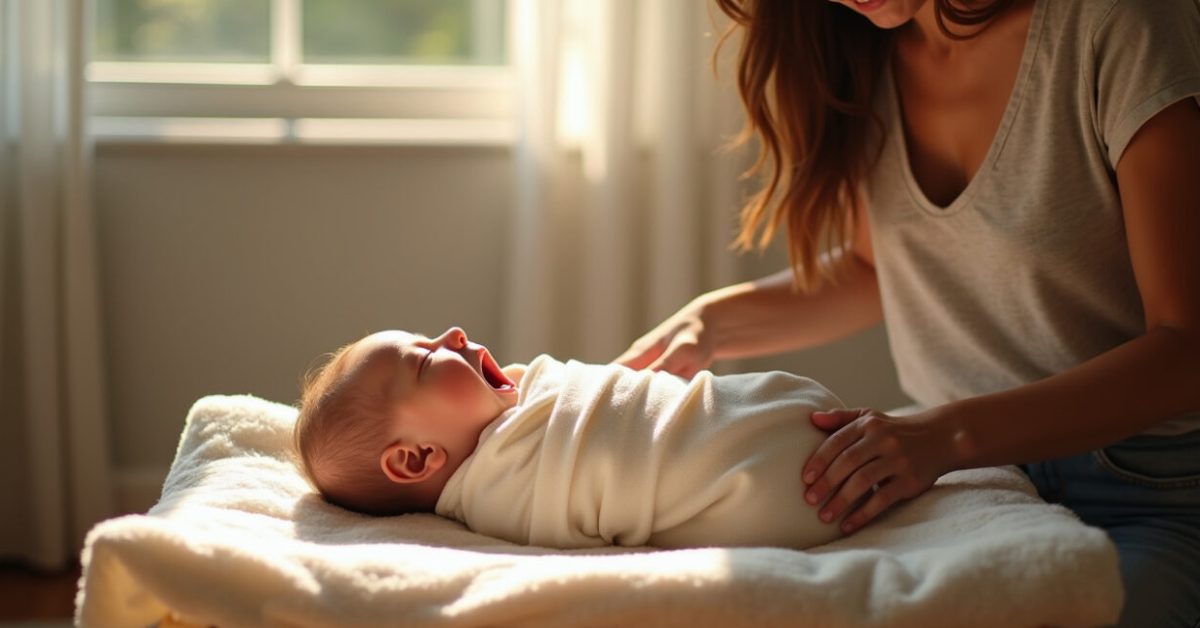

The baby is yawning, the light is perfect — and the preview shows an orange cast that looks like sunset through smoked glass. That jitter in the edit is about Skin Tones, and fixing it fast without over-processing is what separates an okay gallery from one that sells out. Here are precise Lightroom moves that save time and keep newborns looking soft, real, and awake.
Why White Balance is the Single Fastest Skin Tones Fix
White balance often explains 80% of the problem. A 2,000 K shift can make cheeks look jaundiced or hospital-cold. Start with the eyedropper on a neutral in-frame (blanket edge, white sock) and then nudge Temp by 100–300 K and Tint by ±5–10 points. Skin Tones respond more to Tint shifts than you think — a +6 magenta can calm green hospital light without warming skin into orange.
Tip: if you shoot RAW, small Temp/Tint moves are non-destructive and keep skin texture intact.
The Exact HSL Moves That Bring Newborn Skin Tones Back to Life
HSL is where color gets musical. For most newborns, the edits are subtle: lower orange saturation by 5–12, lift luminance +4–10, and keep hue near zero. Decrease red saturation slightly if cheeks blow out, but raise orange luminance to preserve softness.
- Hue: orange ±3 to correct slight shifts.
- Saturation: orange -5 to -12 to avoid candy-cheek effect.
- Luminance: orange +4 to +10 to reveal gentle glow.
That combo often fixes the look of flushed or washed-out skin while keeping natural tone. Skin Tones should look like skin, not paint.

The Local Adjustments That Keep Skin Tones Soft and Realistic
Global sliders help, but local work is the subtle art. Use an Adjustment Brush with Exposure -0.1 to -0.3 and Clarity -10 on bright cheek highlights. Then sample the brush and reduce Temp slightly if a patch reads too warm. Local adjustment preserves texture and controls highlights without creating plastic skin.
When correcting small veins or blotches, use a very soft brush, Flow 10–20, and avoid the Heal tool for larger tonal shifts — it can flatten texture.
The Easiest Preset Approach That Doesn’t Ruin Skin Tones
Presets sell time, but most overdo warmth or magenta. The smart preset is a two-step: apply gentle profile-based color grading, then immediately toggle off saturation boosts for orange and red. Think of presets as an elevator to get close, not a final step.
Comparison: a harsh preset makes Skin Tones pop but looks artificial; a tuned preset (subtract orange saturation, add luminance) looks like you actually saw the baby in that light. Expect to tweak per image; no preset suits every newborn session.
Common Mistakes That Wreck Newborn Skin Tones (and How to Avoid Them)
Avoid these traps:
- Over-warming with Temp +100+ — makes skin look fake and loses subtle reds.
- Boosting Clarity/Texture too hard — turns soft newborn skin grainy.
- Using global Vibrance to fix one area — affects background and props too.
- Relying on auto white balance without eyeballing — camera AWB can be fooled by warm blankets.
Do the opposite: nudge, sample, and use masks. Small moves keep Skin Tones believable.
A Quick Workflow That Saves Time on Entire Newborn Sessions
Run this five-step mini-routine and you’ll be consistently fast: 1) Profile (Adobe Color/Camera Neutral), 2) Eyedropper on neutral, 3) Small Temp/Tint tweak, 4) HSL orange/luminance tweak, 5) Local brush for highlights. Do steps in that order and you’ll cut editing time in half while protecting Skin Tones.
This workflow also makes batch edits safer: sync only white balance and profile first, then selectively sync HSL and local masks.
The Lighting Hacks That Make Skin Tones Easier to Edit Later
Good edits start when you shoot. Use a large soft light source, place it close, and avoid mixed daylight plus tungsten. If you do mix, flag frames and use a custom white balance card. Soft, neutral light reduces heavy corrective work and preserves the fine reds and blues in newborn Skin Tones.
Mini-story: I shot a session under a bright window and one under warm lamps. The window shots took five minutes each to perfect; the lamp shots needed 20. Same baby, different lights—same lesson.

For color science details, see tests from the International Color Consortium and practical white balance guidance from NIST. These sources explain why subtle Temp/Tint moves matter for Skin Tones at a technical level.
Final provocation: If you keep over-correcting Skin Tones, you’re editing the light, not the subject. Next session, control the light first — your edits will thank you, and so will the parents.
How Do I Pick a Neutral for the White Balance Eyedropper?
Choose a part of the scene that should be neutral gray or white: a blanket hem, a white hat, or a paper card you put in frame. Avoid reflective surfaces and skin itself. Click the eyedropper on that neutral, then back off the Temp/Tint by small steps if the baby’s skin looks too green or too orange. If no neutral exists, shoot a white balance card during the session and use it in Lightroom for consistent Skin Tones across the set.
Can I Rely on Lightroom Auto White Balance for Newborns?
Lightroom’s auto is a good starting point but not a final answer. Auto often aims for mid-tone neutrality and can leave skin slightly off under mixed light. Use auto, then check the baby’s cheeks and eyelids. Make small Temp/Tint nudges and use HSL to tame any remaining cast. Auto saves time on uniform lighting sessions, but for varied or tungsten-mixed light, manual correction gives far better control of Skin Tones.
How Much Should I Lower Orange Saturation for Realistic Skin?
There’s no single number, but a safe range is -5 to -12 on the orange slider. Start at -6 and watch luminance: increasing orange luminance by +4 to +8 keeps skin soft while reducing unnatural punch. Always zoom to 100% to check texture — if skin begins to look flat, back off saturation or add a tiny bit of red saturation back. The goal is subtlety: visible improvement that still reads as skin.
When Should I Use the Heal Tool Versus the Adjustment Brush on Newborn Skin?
Use Heal for small blemishes, cradle marks, or tiny veins — areas under 30–40 px that need texture blending. For tonal adjustments, discoloration, or smoothing bright highlights, use the Adjustment Brush with low Flow and Clarity -10. Overusing Heal can remove natural texture and make skin look over-processed. The brush lets you adjust tone and exposure while keeping pores and fine texture intact, which is crucial for believable Skin Tones.
Do You Recommend Presets for Newborn Skin Tones or Custom Edits Every Time?
Presets are useful to get close, but they rarely nail Skin Tones across different lighting and skin variations. Use a gentle preset as a starting profile, then immediately check and adjust white balance and HSL. For consistent sessions—same lighting and setup—customized presets save huge time. For varied sessions, do one optimized edit and sync selectively. The most reliable approach is a hybrid: presets for speed, manual tweaks for accurate Skin Tones.