

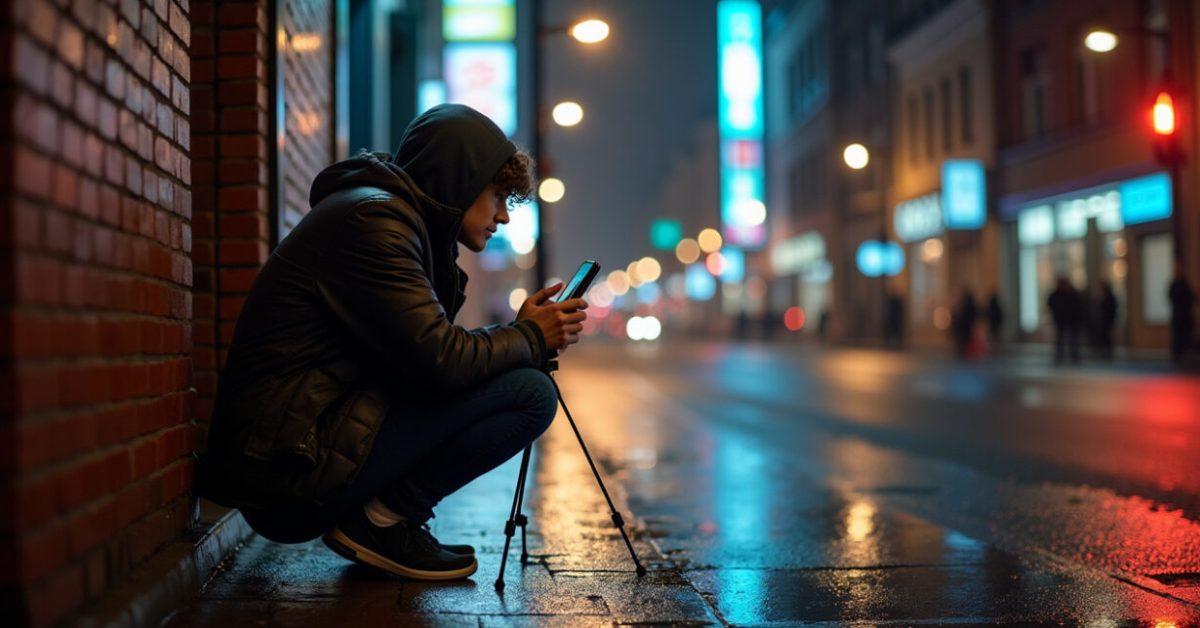

The streetlight blinked, my hands shook, and the photo I took looked like a watercolor painting of what I’d actually seen. Night smartphone photos will do that if you trust the phone alone. But a few simple shifts—how you hold the device, which mode you pick, and one cheap accessory—turn that blur into a clean, moody image that feels like you were there.
The Small Tricks That Make the Biggest Difference
Stability beats megapixels at night. You can own the fanciest phone, and still get noisy, soft night smartphone photos if your hands wobble. Hold your phone with both hands, tuck your elbows to your ribs, and exhale slowly as you tap the shutter. Use the screen as a third-point guide—rest it on a wall, a table, or your knee.
- Support matters more than ISO. Lower movement, lower noise.
- Timer or volume button reduces shake.
- Lean against something solid for long exposures.
Do this first and you’ll notice a jump in clarity before you touch any settings.
Multi-frame Modes: Why Stacking Saves Your Shot
When I switched to Night Mode on my phone the first time, the difference was immediate. The camera actually takes several frames and combines them. For night smartphone photos, that means detail from multiple exposures gets merged while random noise is averaged out.
Multi-frame is like HDR for low light. Expect slower capture and a short processing pause. If your subject moves a lot, you’ll get ghosting. But for street scenes, skylines, and portraits that hold still, the end result is sharper and cleaner than a single long exposure.

Manual Controls That Don’t Feel Nerdy
Manual mode can sound intimidating. But night smartphone photos improve a lot when you learn three controls: ISO, shutter speed, and focus. Lower ISO reduces noise. Longer shutter lets more light in. Manual focus keeps the subject crisp.
- Start: ISO 400–800, shutter 1/4 to 2 seconds (use support).
- If bright lights blow out, lower shutter or use exposure compensation.
- Tap to focus, then lock it—avoid refocusing mid-shot.
You don’t need to be a pro—just tweak one setting at a time and compare results.
Affordable Accessories That Change the Game
You don’t need a camera that costs as much as a used car. A $20 table-top tripod and a $15 clip-on lens can do wonders for night smartphone photos. Even a tiny LED fill light helps when faces are the subject.
- Tripod: prevents blur on long exposures.
- Remote shutter or timer: avoids touch shake.
- Clip-on lenses: wider angles capture more light in certain scenes.
I once shot a rooftop skyline with nothing but a $12 tripod. The before/after felt like two different cities. That comparison is a quick proof: tools amplify what your hands and software cannot do alone.
Noise, Sharpening, and the Post-processing Middle Ground
Phone apps will tempt you with instant filters. But for night smartphone photos, the real choice is between noise reduction and detail. Too much noise reduction makes skin look plastic; too little leaves grainy shadows.
Work non-destructively. Use apps that let you tweak denoise and sharpening separately. A light denoise pass, then selective sharpening on key areas—eyes, edges, bright highlights—keeps texture without the grit. If you prefer one-click fixes, pick an app that shows a before/after slider.
Common Mistakes That Ruin a Night Shot (and How to Avoid Them)
People make the same errors over and over. Fix these and your night smartphone photos will improve overnight.
- Holding the phone with one hand—use both hands or a support.
- Relying on digital zoom—move closer or crop later.
- Using flash as a first resort—try ambient light or a small LED instead.
- Over-editing—avoid extreme noise reduction or oversaturated color.
These are simple, fixable habits. Break them and your next shot will feel intentional instead of accidental.
The Mindset That Gets You to Better Photos Fast
Stop chasing a perfect shot with the “auto everything” mindset. Night smartphone photos reward patience and curiosity. Scout a scene, watch how light changes, and take multiple frames. Expect some failures—that’s part of learning.
Photography at night is problem-solving with light. Think of each photo as a small experiment: change one variable, observe the result, and do better the next time. That approach is faster than memorizing settings and leads to shots that actually look like what you remember.

For more technical reading on low-light imaging and sensor behavior, see research from universities and industry: National Institute of Standards and Technology and imaging studies at Stanford University. They explore how stacking frames and sensor readout reduce noise at the pixel level.
Now go out tonight with one small change—tripod, timer, or a single manual tweak—and notice the difference. The city after dark is waiting for you to capture it well.
How Do I Stop Blurry Night Smartphone Photos?
Blur usually comes from camera shake or subject movement. Use a stable support—tripod, wall, or even a bag—and enable a timer or remote shutter to avoid touch shake. For moving subjects, increase shutter speed and raise ISO carefully, or switch to a multi-frame night mode that freezes motion. If you must handhold, brace your elbows, exhale slowly as you press the shutter, and take several shots; one will likely be sharp.
Which Phone Settings Give the Best Night Smartphone Photos?
Focus on three settings: ISO, shutter speed, and focus. Start with ISO 400–800 to keep noise manageable, and set shutter speed between 1/4 to 2 seconds when using support. Lock manual focus on the main subject to avoid hunt. If your phone offers a dedicated Night Mode or multi-frame capture, use it for static scenes. Use exposure compensation to prevent blown highlights from streetlights or signs.
Are Cheap Tripods and Lenses Worth It?
Yes—affordable accessories often give the biggest return on investment. A small tripod stabilizes the camera for long exposures and reduces blur instantly. Clip-on lenses expand framing options and sometimes capture more light per frame. A budget LED light provides controlled fill for portraits. These items cost little but fix common failure points that phone software alone can’t always solve.
How Much Editing Should I Do to Night Smartphone Photos?
Edit with restraint. Start with gentle noise reduction and recover shadows carefully. Avoid heavy denoise that softens faces and textures. Use selective sharpening on key areas and correct white balance if the scene looks too warm or green. Keep a copy of the original and use non-destructive edits so you can compare. A few subtle moves beat heavy filters every time.
Can I Get DSLR-quality Night Photos with a Phone?
Phones can match or exceed DSLR shots for many night scenes thanks to multi-frame processing and advanced software. You won’t always get the same shallow depth of field or extreme dynamic range, but for cityscapes, skylines, and well-lit portraits, night smartphone photos can be incredibly competitive. The difference often comes down to technique: support, exposure control, and modest accessories make the biggest gap.