

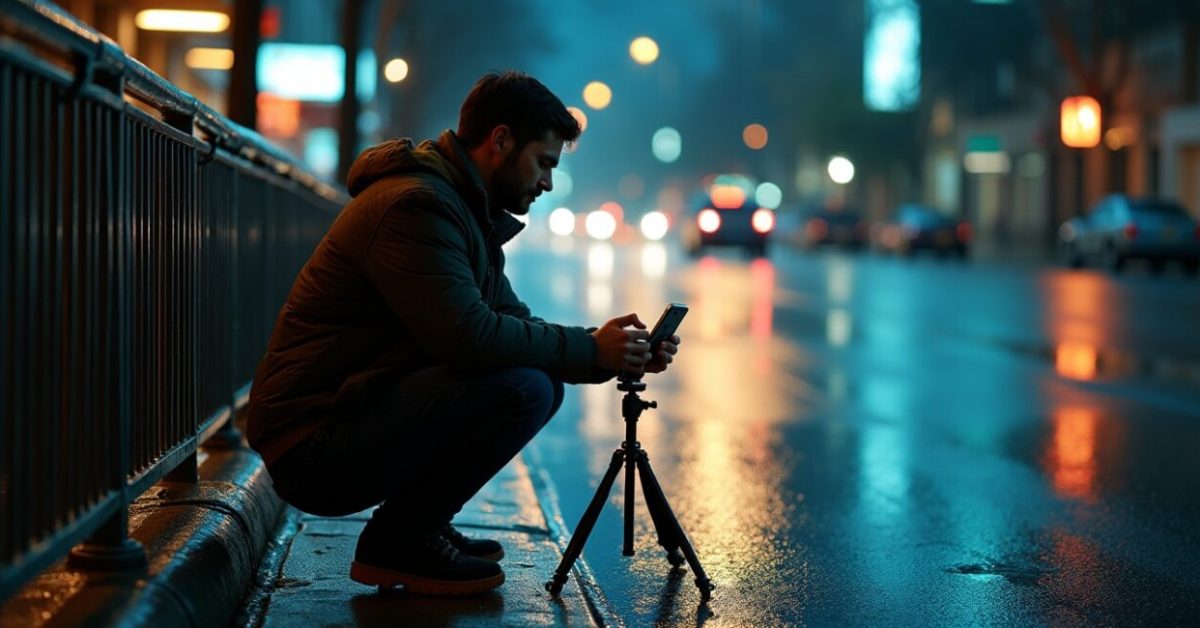

Streetlights turn into halos, and a ten-second clip suddenly looks like someone stretched time. That’s night stacking in action — a technique viewers see everywhere on social platforms that promises clean, cinematic low-light footage from tiny action cameras. But before you hunt down tutorials at midnight, let’s cut to the chase: does night stacking actually produce usable action camera clips, or is it mostly social-media magic?
Why Night Stacking Exploded Overnight
Creators discovered a simple trick: align and average multiple short exposures to lower noise and reveal detail that a single frame hides. What looks like wizardry is math plus motion control. The viral appeal is obvious — dramatic before/after sliders, quick presets, and the thrill of rescuing footage shot in awful light. But virality hides trade-offs: longer capture time, heavier processing, and a sensitivity to movement that many tutorials gloss over.
The Mechanism Nobody Explains Right Away
At its core, night stacking is frame averaging with an emphasis on alignment. You stack dozens to hundreds of frames to reduce random noise; stationary elements get clearer, while moving objects smear or disappear. Think of it like stacking multiple transparencies: persistent details get reinforced and noise cancels out. The catch: motion kills the illusion — moving cars, leaves, or handheld shake break alignment and produce ghosting or blur.
When Stacking Actually Improves Action Camera Clips
Stacking shines under three conditions: the scene is mostly static, the camera is stabilized (tripod or a perfectly locked mount), and you can capture many frames at consistent exposure. In that scenario you’ll see dramatic noise reduction, crisper highlights, and a cleaner dynamic range. For real-world action-camera use — like night laps on a bike with motion — the improvement is often marginal. The extra clarity matters most for stationary timelapses, astrophotography-style shots, or product close-ups.
Gear and Workflow That Make Stacking Usable, Not Painful
Not every camera or app is equal. You want: a camera that can shoot raw frames or high-quality JPEG bursts, a rigid mount, and software that performs sub-pixel alignment. Popular tools include dedicated stacking apps and desktop software that handle batch alignment and median/mean stacking. Expect longer processing times — sometimes hours for hundreds of frames. If you’re on a phone-only workflow, look for apps with GPU acceleration or cloud processing to save time.
Expectation Vs. Reality: A Quick Comparison
- Expectation: Handheld night ride → clean cinematic clip after stacking.
- Reality: Handheld motion creates artifacts; you may lose moving subjects or get ghosting.
This simple before/after shows the truth: stacking can transform grain into texture when nothing moves, but it doesn’t turn shaky, fast-paced footage into a polished short. For action footage, sometimes a better lens, higher ISO performance, or a bit of noise reduction in post gives more usable results than heavy stacking.
Common Mistakes — What to Avoid
People follow flashy tutorials and repeat the same errors. Here are the most costly ones:
- Trying to stack while handheld — results in ghosting and rejects most frames.
- Using too few frames — you need dozens for meaningful noise reduction.
- Ignoring alignment — automated alignment settings exist for a reason.
- Overprocessing — crushing noise can kill detail and create plasticky footage.
Fix these and your success rate jumps. A small checklist before you shoot prevents hours of wasted processing.
Mini-story: One Night That Changed My Approach
I once filmed a downtown skyline from the trunk of a parked car, thinking 60 stacked frames would save my shaky handheld attempt. The result: half the frames rejected, taxis turned into ghost streaks, and the export looked worse than one steady raw clip. After switching to a tripod and capturing 300 frames over ten minutes, the skyline became crystalline — the lights were points, noise vanished, and details popped. That single shoot taught me the trade: patience and stability beat shortcuts every time.
For further reading on image stacking fundamentals and noise behavior, see research summaries from imaging labs and practical guides. For example, academic explanations of stacking and noise reduction clarify why averaging reduces random noise, while camera-maker resources explain sensor limits and ISO behavior. NIST imaging research and guides from reputable optics sites can deepen the technical side without the fluff. Another practical resource is university material covering signal averaging and its benefits in low-light imaging: Stanford optics and imaging.
So should you try night stacking? Yes — but pick the right scenes. Use it when the camera can be stable and the subject mostly still. For action-heavy clips, prioritize stabilization, a better sensor, and conservative noise reduction instead. The trick is powerful, but it’s not a one-size-fits-all cure for bad low-light shooting.
Final provocation: if your goal is shareable thrills, stacking can win hearts in a feed; if your goal is usable footage for editing, stacking is a specialized tool you deploy selectively — not a shortcut you rely on every night.
What is Night Stacking and is It Only for Photos?
Night stacking is a process of combining many short-exposure frames to reduce noise and enhance detail in low-light scenes. While it’s commonly used in astrophotography and still imagery, it can be applied to video clips by stacking consecutive frames or bursts. The key distinction is motion: in photos stacking is straightforward if the subject is static; in video, alignment becomes complex and moving elements either blur or disappear. Applied correctly, it can produce cleaner clips, but it’s not limited to still images alone.
How Many Frames Do I Need for a Visible Improvement?
There’s no single magic number, but practical experience shows diminishing returns below a few dozen frames. For meaningful noise reduction, aim for 50–300 frames depending on sensor quality and ISO. More frames average out random noise better, but alignment and scene stability become more critical as you increase count. Processing time and storage also scale up — hundreds of frames requires patience and often desktop-class software to align and stack efficiently without losing detail.
Can I Stack Handheld Action Camera Footage Successfully?
Handheld stacking is possible but risky. Small handheld movements introduce misalignment that standard stacking will either reject or render as ghosting and blur. Some advanced algorithms provide robust motion detection and selective stacking, but the most reliable approach is stabilization: use a rigid mount, gimbal, or lock the camera in place. For fast-moving scenes like biking or running, stacking tends to degrade the subject, so stabilization and camera choice usually offer better returns.

How Long Does Processing Take and What Hardware Do I Need?
Processing time depends on frame count, resolution, alignment complexity, and your hardware. Small stacks (dozens of 1080p frames) can finish in minutes on a modern laptop; hundreds of 4K frames can take hours on consumer machines. GPU-accelerated software speeds things up considerably. If you plan frequent stacking, consider a mid-range desktop with a solid GPU, ample RAM, and fast SSD storage, or use cloud services for heavy batches to avoid long local render times and to keep your workflow responsive.
Which Scenes Benefit Most from Night Stacking Versus Other Fixes?
Night stacking excels with static or slow-moving scenes: cityscapes, skyline timelapses, astrophotography, product shots, and architectural detail at night. It struggles with high-motion scenarios such as action sports or handheld POV footage. In those cases, alternative fixes like better lenses, lower-noise sensors, careful exposure, higher-quality denoising plugins, or improved stabilization usually yield more usable results. Choose stacking when you can control movement and have time for capture and processing.