

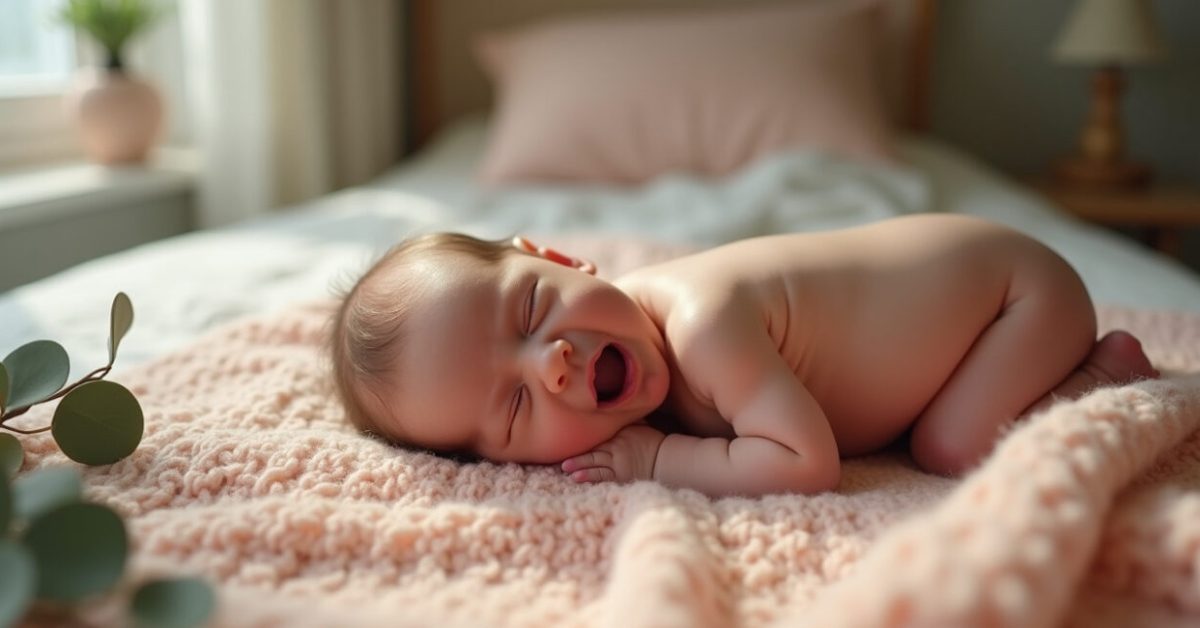

The baby yawns, the light from the window is perfect—and then your editing preset turns that soft peach skin into a washed-out orange or an ashy gray. Lightroom Presets can make or break newborn photos in a heartbeat. If you want skin that looks alive and tender, not processed or fake, you need presets that respect tone, undertone, and subtlety.
The Single Test That Tells You If a Preset is Newborn-safe
Apply the preset to a neutral white card and a midtone skin patch. If the white tilts blue or green, or the midtone loses warmth, the preset will shift newborn skin too much. Lightroom Presets often hide aggressive color moves in the Tone Curve or HSL. A quick check like this saves hours.
- Why a white card? It reveals hidden color casts fast.
- Why a midtone patch? Newborn faces live in the middle of the curve.
The Three Sliders That Decide Skin Realism (and How to Use Them)
Start with Temp, Tint, and the HSL Luminance for Reds/Oranges. Temp corrects warm vs. cool casts. Tint fixes green/magenta bias. In HSL, reduce Orange saturation slightly before touching Reds—newborn skin often sits in orange tones, but heavy reds make it look inflamed. Use small moves: +5 to -10 for natural fixes, not dramatic leaps.
- Temp: nudge in ±3-5 increments.
- Tilt Tint only if skin looks off after Temp.
- HSL Luminance: brighten oranges for soft glow, not blowout.
Preset Red Flags: What to Avoid When Buying or Building Presets
Some presets promise “cinematic” or “moody” looks that are great for landscapes but disaster for newborns. Avoid presets with heavy split toning, extreme tone curves, or boosted Magentas/Greens. Also watch for presets that hide massive clarity or texture boosts—those emphasize pores and flakes you want to minimize.
- Red flag: Tone Curve with S-curve extremes.
- Red flag: HSL with +30+ saturation on Orange/Red.
- Red flag: Global temp shifts beyond ±10.
How to Customize a Preset in 90 Seconds for a Real Baby Session
Open the preset, then: 1) Reset Temp/Tint while keeping exposure, 2) Lower Orange saturation by 5–12, 3) Increase Orange luminance +5–10, 4) Reduce Clarity/Texture by 5–15 if skin is flaky. These four moves fix most tone and texture issues quickly. You’ll preserve softness and keep color believable without rebuilding the edit from scratch.
Before/after Comparison That Proves Subtlety Wins
Expectation: preset turns skin into a glossy magazine finish. Reality: the best edits keep tiny veins, undertones, and warmth. Compare a preset-only image with one where you reduce Orange saturation by 8 and lift luminance by 6. The result retains depth and warmth—no fake plastic glow. Small adjustments beat dramatic filters for newborn portrait truth.
| Preset-only | Preset + subtle tweaks |
|---|---|
| Higher saturation, harsher contrast | Natural warmth, preserved texture |
| Potential color cast | Neutral whites, accurate skin |
Common Mistakes Photographers Make with Lightroom Presets
Overreliance on a single preset is the top mistake. Other errors: applying the preset to all images without white balance checks; ignoring the Tone Curve; letting Vibrance/Saturation run unchecked. These mistakes can cost you client trust and time in reshoots. Fix them by previewing on multiple frames, checking whites and midtones, and saving custom versions per lighting condition.
- Don’t assume one preset fits all lighting.
- Don’t boost clarity to fix focus problems.
- Always inspect skin at 50–100% zoom.
Where to Learn the Color Basics Fast (resources That Actually Help)
Understanding color science makes Lightroom Presets work for you, not against you. Adobe’s own tutorials explain White Balance and HSL well, and medical or pediatric sources help you know what newborn skin should look like in healthy light. Adobe Lightroom tutorials and CDC newborn care info are good starting points.
One last thought: presets are tools, not rules. Treat every baby like an individual, not a template. Your edits should whisper, not shout.
How Do I Check a Preset Quickly On-session?
On session, apply the preset to a straight-on midtone—use a white card or a small area of bare skin—and inspect whites and trusty midtones. If white shifts toward blue/green or the midtone loses warmth, dial Temp/Tint back immediately. Check at 50% zoom to judge skin texture. Keep a small, consistent list of go-to adjustments (Temp, Tint, Orange saturation, Orange luminance, Clarity) so you can correct a preset in under two minutes without overthinking.
Can I Make a Universal Preset for All Newborns?
A universal preset is a myth. Newborn skin varies with ethnicity, lighting, and time since birth. A base preset is useful as a starting point, but expect to tweak white balance and HSL per baby. The smartest approach: build layered presets—one for studio daylight, one for window light, one for tungsten—and save local adjustments. This reduces repetitive work while keeping skin natural, because small local moves correct the biggest differences between babies and settings.
What HSL Settings Usually Help Newborn Skin Without Damaging Tone?
Focus on Oranges and Reds. Reduce Orange saturation modestly (about −5 to −12), lift Orange luminance (+5 to +12), and keep Red saturation low unless needed. Avoid boosting Magentas or Greens. If you need to cool or warm tones, use Temperature first, then fine-tune with Tint. These adjustments preserve undertones and prevent that “inflamed” or “plastic” look many presets create when applied blindly to delicate newborn skin.
How Do I Remove a Color Cast Introduced by a Preset?
Start with the White Balance eyedropper on a neutral area (white card, diaper, or sheet). If none exist, nudge Temp toward neutral and Tint away from the dominant cast (green or magenta). Use Split Toning sparingly—often disabling it is faster. For stubborn casts, check the Tone Curve for hidden channel shifts and flatten if necessary. The goal is neutral whites and believable skin without crushing the midtones.
Are Mobile Lightroom Presets Safe for Newborn Photos?
Mobile presets can be safe but often lack the nuance desktop versions offer. Many mobile packs boost saturation and contrast to stand out on small screens, which can harm newborn skin tones. If you use mobile presets, always adjust white balance and HSL Oranges, and lower clarity/structure. Export test images at full resolution to check skin; phone previews can mask subtle problems that show up on larger screens or prints.