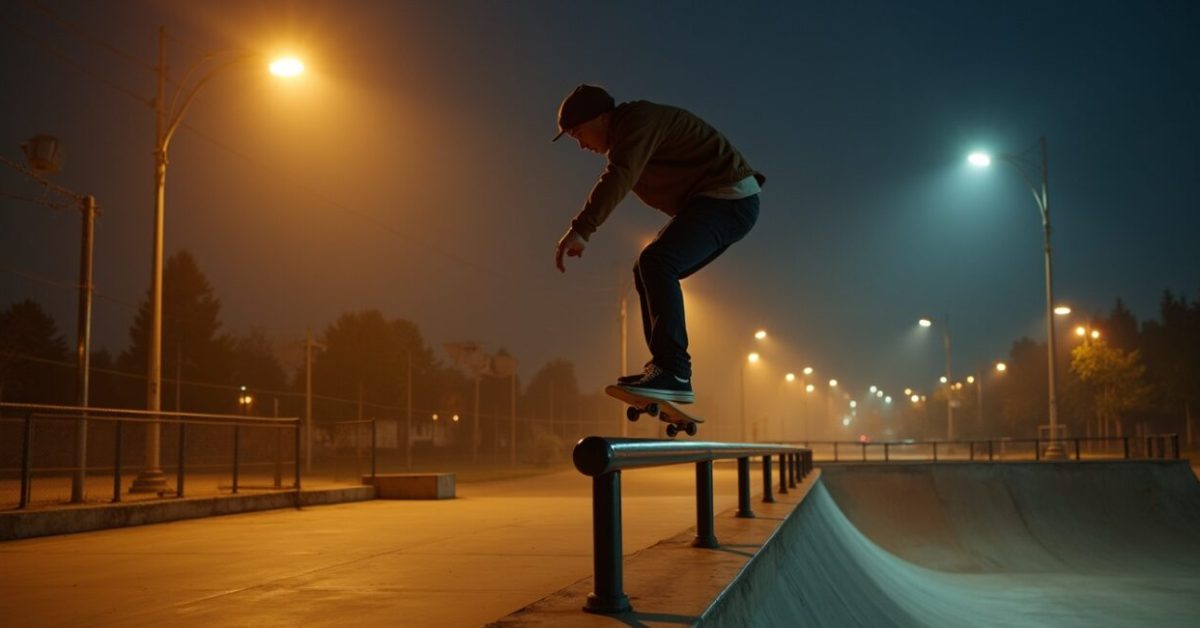

Streetlights smear into ribbons, highlights blow out, and your footage looks like something shot through a fogged lens — but then you flip on Night Mode and suddenly the frame breathes. GoPro’s new Night Mode promises cleaner exposure, smarter stabilization, and ISO behavior tuned for real-world low-light action. I tested it across skateparks, night trails, and car-follow shots to see whether this is a meaningful upgrade or just marketing polish.
What Night Mode Actually Changes in Exposure and ISO
Night Mode shifts the camera from “crank ISO and pray” to a smarter mix of longer exposure and controlled amplification. Instead of pushing ISO to the redline and frying highlights, GoPro reduces base ISO and selectively extends exposure time when motion allows. That tradeoff improves tonal detail in static parts of the frame but can introduce blur if the subject moves quickly. In practice, expect cleaner midtones, fewer clipped highlights, and less digital noise — especially on tripod or slow-moving scenes.
The Stabilization Rethink: Smoother Motion or More Judder?
Stabilization in low light is a different beast — Night Mode accepts some temporal smoothing to preserve detail. GoPro’s algorithm appears to favor temporal stacking (using frames over time) when light is scarce, which helps reduce noise but can create a slight “ghosting” on fast-moving objects. If you’re running or mountain biking at night, you’ll notice different micro-jitters compared with daytime HyperSmooth. For controlled panning shots at slower speeds, Night Mode yields impressively steady frames; for frantic action, tweak settings or lock to a higher shutter.
Expectation Vs. Reality: A Direct Before/after Comparison
Expectation: perfect night footage from a pocket camera. Reality: meaningful improvement, not magic. I shot three scenes back-to-back (static cityscape, moving motorcycle, headlamp trail run). The cityscape gained texture and cleaner skies; the motorcycle retained detail but showed motion blur in wheels; the trail run’s headlamp streaks became smoother but some trailing ghosted. The most useful comparison: noise reduced by a visible margin, but motion fidelity depends on shutter choices — Night Mode helps, it doesn’t replace lighting.
Settings That Actually Matter: Tweak, Don’t Auto-everything
Auto Night Mode is convenient, but manual tweaks unlock the real gains. Key controls to prioritize:
- Shutter speed: lengthen for static scenes; shorten for action.
- ISO max: lower the cap to avoid grain spikes.
- Stabilization mode: switch to more rigid modes for high-motion shots.
- Resolution/frame rate: lower FPS lets the sensor gather more light per frame.
Common Mistakes People Make with Night Mode (and How to Avoid Them)
Most users blame the camera — but these errors are the real culprits.
- Using Night Mode on fast action without increasing shutter speed → result: motion blur.
- Relying on max ISO → result: noisy, plasticky images.
- Ignoring stabilization settings → result: weird temporal artifacts.
- Shooting windows or bright lights without bracketing → result: blown highlights.
A Short Scene That Shows Night Mode’s Tradeoffs
We set up next to a coastal pier: friends on e‑bikes rode past while a fishing boat glowed in the distance. Night Mode rendered the pier boards with surprising texture; the boat’s distant lights kept shape without blooming; the bikes, however, left soft trails where the algorithm sacrificed sharpness to kill noise. That three-second sequence summed it up — you get cleaner ambience and mood, but not the micro-sharpness of well-lit daytime clips. It’s cinema-grade atmosphere, not sports-camera razor.
Should You Upgrade or Tweak Your Workflow?
If your aim is better-looking night clips without changing your setup, yes — Night Mode is worth it. But if you rely on pinpoint motion clarity in low light (racing, downhill mountain biking, action sports), treat Night Mode as one tool among many: pair it with faster shutter speeds, external lights, or higher frame rates when needed. For most creators — travel vloggers, urban shooters, and casual adventurers — Night Mode delivers a tangible step up in image quality and color fidelity.
For technical context on sensor behavior and noise reduction, see NIST’s imaging research summaries, and for deeper camera-testing methodology, consult resources like Stanford’s imaging lab. And of course, GoPro’s product notes explain the intended behavior in their own terms.
Bottom line: Night Mode is not a single “fix everything” switch — it’s a smarter balance between exposure, ISO, and stabilization that will markedly improve many night clips, as long as you understand the tradeoffs and avoid the common mistakes listed above.
FAQ
Will Night Mode Eliminate All Noise from My Low-light GoPro Footage?
Not entirely. Night Mode reduces noise by blending longer exposures with smarter ISO control, so you’ll see much cleaner midtones and fewer color speckles. However, noise is fundamentally tied to light quantity; in very dark scenes the sensor still needs amplification, which introduces grain. You can minimize noise further by adding light sources, lowering the ISO cap, shooting at lower frame rates to increase exposure per frame, or using post-processing denoising tools. Expect improvement, not total elimination.
Does Night Mode Make Stabilization Worse for Action Shots?
Sometimes. To reduce noise Night Mode may use temporal smoothing that blends multiple frames, which can create slight ghosting or softer motion edges in high-speed scenes. For fast action, you’ll often get better perceived stabilization by choosing a more rigid stabilization mode or increasing shutter speed, even if that means a bit more noise. If your priority is crisp motion (racing, downhill), test settings in similar lighting before committing to Night Mode for critical footage.
Should I Lower ISO Limits When Using Night Mode?
Yes—capping ISO is one of the most effective tweaks. Night Mode already tries to avoid extreme ISO when possible, but manually lowering the maximum ISO forces the camera to rely more on exposure time, keeping highlights and skin tones cleaner. Just be mindful that longer exposures introduce motion blur for moving subjects. Balance ISO cap with shutter speed and your subject’s motion to find the sweet spot between noise and sharpness.
Is Night Mode Useful Without External Lights or Tripods?
Absolutely — Night Mode was designed for handheld and action scenarios where adding lights or a tripod isn’t practical. It will generally produce more usable footage under those constraints by optimizing exposure and processing. That said, adding even a small light source or stabilizing the camera when possible will amplify the benefits dramatically, producing clearer detail and reducing the need for aggressive post-processing.
Does Switching to Night Mode Impact Battery Life Significantly?
Yes, to some extent. Longer exposures and additional processing (stacking, denoising, stabilization adjustments) increase CPU usage and sensor activity, which can drain battery faster than typical daytime shooting. If you’re planning extended night shoots, bring spare batteries or a power bank, and consider reducing resolution or frame rate when battery life becomes a priority. Balancing settings can stretch runtime while keeping most of the visual gains.