

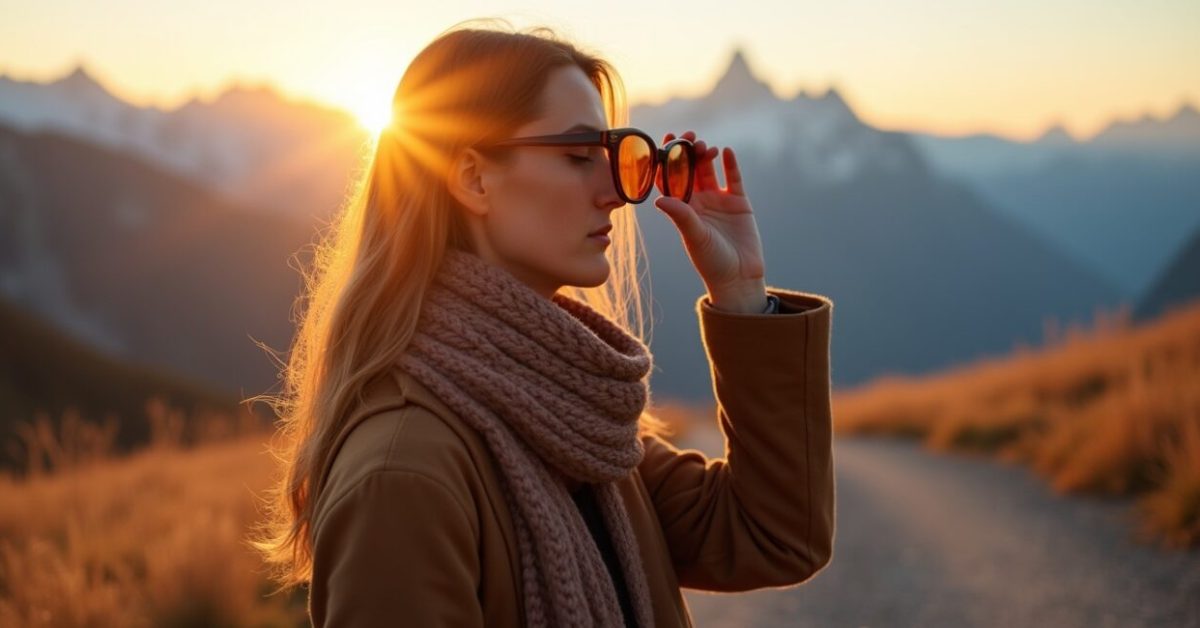

They rolled it out last week and my feed changed overnight: every ridge in the Swiss hills suddenly looks like a postcard filtered through warm amber glass. The Autumn Alps filter is what influencers and travel apps are calling “the new standard”—it nudges greens toward mustard, deepens shadows, and makes early frost look like golden hour. Within two swipes a cloudy snapshot becomes cinematic. But it’s not always flattering, and sometimes it erases the scene you actually stood in.
Why Influencers Are Slapping the Autumn Alps Filter on Every Swiss Shot
This filter sells a mood more than a landscape. It tweaks color temperature and contrast to mimic late-afternoon warmth, which performs extremely well on social platforms where emotion drives clicks. For creators trying to craft a coherent grid, the Autumn Alps shortcut is irresistible: instant seasonal cohesion, fewer edits, stronger engagement. It also plays nice with portrait subjects and apparel brands, which is why travel pages and fashion accounts adopted it so quickly. But popularity doesn’t equal truth—sometimes the mood it creates didn’t exist when the photo was taken.
The Exact Tonal Shifts the Filter Applies (and Why Your Green Fields Turn Bronze)
The filter’s algorithm compresses greens and shifts them toward yellow-red hues while slightly desaturating blues—this creates that signature bronze look. Shadows get a soft lift and highlights gain warm tinting, which preserves detail while boosting perceived depth. Think of it as dialing down real-life clutter and dialing up storybook contrast. A comparison makes it obvious: raw capture versus Autumn Alps is like daylight versus a studio-lit portrait—more flattering, less literal. In thin-air mountain shots this can either reveal texture or mask altitude’s true colors.
When Autumn Alps Enhances a Real Capture (and Why It Feels Honest)
Use it on overcast, flat-weather photos and it will rescue mood without lying. Cloudy skies with washed-out colors benefit most because the filter restores saturation selectively—leaves regain warmth, wood and skin tones look lived-in, and distant ridgelines gain separation. It’s especially effective in early-morning or late-afternoon shots where natural golden light exists but didn’t reach the sensor. In those moments, Autumn Alps amplifies what was already there, making the photo feel like a memory rather than a document.
When the Filter Ruins Authenticity (and Cheapens the Scene)
Apply it to vivid summer greens, turquoise lakes, or freshly fallen snow, and the filter fights reality. It can erase unique local tones—alpine blue lakes become muted and snow loses its cold crispness—turning place-specific beauty into a generic “autumn postcard.” The worst offender is documentary-style photography: the filter can obscure accurate color for guides, researchers, or anyone who needs fidelity. Common mistakes to avoid include oversaturating already warm scenes, relying on the filter for color correction, or masking urban elements that deserve true tones.
How to Decide: Keep the Original or Commit to Autumn Alps?
Ask what you want the photo to do. If your goal is emotional resonance and social performance, commit—apply Autumn Alps and then make micro-adjustments. If the goal is documentation, calibration, or selling a product that depends on true color, skip it. A quick checklist: use the filter if the lighting was flat, skin tones are dull, or you need grid consistency; avoid it if color accuracy matters, if you shot in vibrant summer light, or if the location has signature hues. Small local edits beat blanket filters when in doubt.
Editing Workflow That Keeps Authenticity While Using Autumn Alps
Layer the filter, don’t let it overwrite your capture. Start with the original, apply Autumn Alps at reduced strength, then selectively mask areas like sky and water to restore true color. Use local tools to lift highlights in snow or cool down lake tones. A short mini-story: a photographer I know used the filter on a family portrait at Lake Brienz, then masked the water back to its blue—followers loved the warmth on faces while the lake stayed recognizable. This hybrid approach gives drama without erasing place.
What Brands and Tourists Should Watch for (legal and Perceptual Pitfalls)
There’s a subtle trust issue: when travel accounts consistently present a filtered version of a destination, expectations misalign with reality. That can lead to complaints, refunds, or negative reviews for businesses whose actual property looks different. On the legal side, advertising standards in some jurisdictions require accurate representations—over-filtering hospitality photos might cross that line. For businesses, the rule is transparency: label heavily edited images and keep at least one unfiltered photo in listings to set accurate expectations.
According to data on visual engagement, warm-toned images do increase clicks and shares, but that popularity exacts a cost: place identity becomes a visual template. Decide whether your photo’s job is to invite, to inform, or to sell—Autumn Alps helps with the first, sometimes aids the third, and often harms the second.
Is the Autumn Alps Filter Built Into Instagram or a Third-party Plugin?
The Autumn Alps effect is available as both an in-app Instagram filter in some regions and as presets rolled out by third-party photo apps and creator toolkits. App versions vary: official Instagram implementations tend to be more conservative and optimized for mobile compression, while third-party presets (for Lightroom or VSCO) give you granular control over intensity and masking. Check the app’s update notes or the creator’s profile link to confirm which version you’re using. Always test on a raw file first to understand its global impact.
Will the Filter Make My Photos Look Better for Selling Travel Packages?
It can improve emotional appeal and click-through rates because warm, cinematic images perform well in ads. Use Autumn Alps to attract attention, but pair it with at least one accurate, unfiltered photo in your listing or brochure. Misleading visuals can lead to disappointed customers and refund requests. For commercial use, consider local adjustments: keep product colors honest and restore critical details like room finishes or landscape features so customers know what they’re booking. Balanced presentation builds both interest and trust.
Can I Reverse the Filter and Retrieve Original Colors from a Filtered Image?
If the filter was applied destructively and saved over the original, full reversal isn’t guaranteed—information lost to color shifts and clipping can’t always be recovered. If you kept the original file or used non-destructive layers, you can lower filter opacity or disable the adjustment to restore true tones. The safest workflow is to keep originals and export filtered variants separately. That way you preserve both the artistic version and the factual one for documentation or future edits.
Does the Autumn Alps Filter Work on Video as Well as Photos?
Yes, many apps offer a cinematic version of Autumn Alps for video, but it behaves differently because motion and frame-to-frame consistency matter. Video presets adjust color grading across clips to maintain continuity, but if exposure varies, the effect can look inconsistent. For best results, grade footage in a timeline-based editor, apply the look as a LUT, and refine per clip. This avoids flicker and ensures that moving water, sky, and snow retain believable motion and color depth while keeping the filter’s mood intact.
How Can I Avoid the Top Mistakes When Using Autumn Alps?
Common pitfalls include over-applying the filter to scenes that already have strong color, forgetting to mask water and sky, and using it on images where color accuracy matters. To avoid these, reduce filter strength, use selective masking, and compare against the original at 100% zoom. Also test across devices—what looks warm and cinematic on your phone may read oversaturated on a desktop. A thoughtful, case-by-case approach preserves the scene’s identity while still letting the filter do its emotional work.