

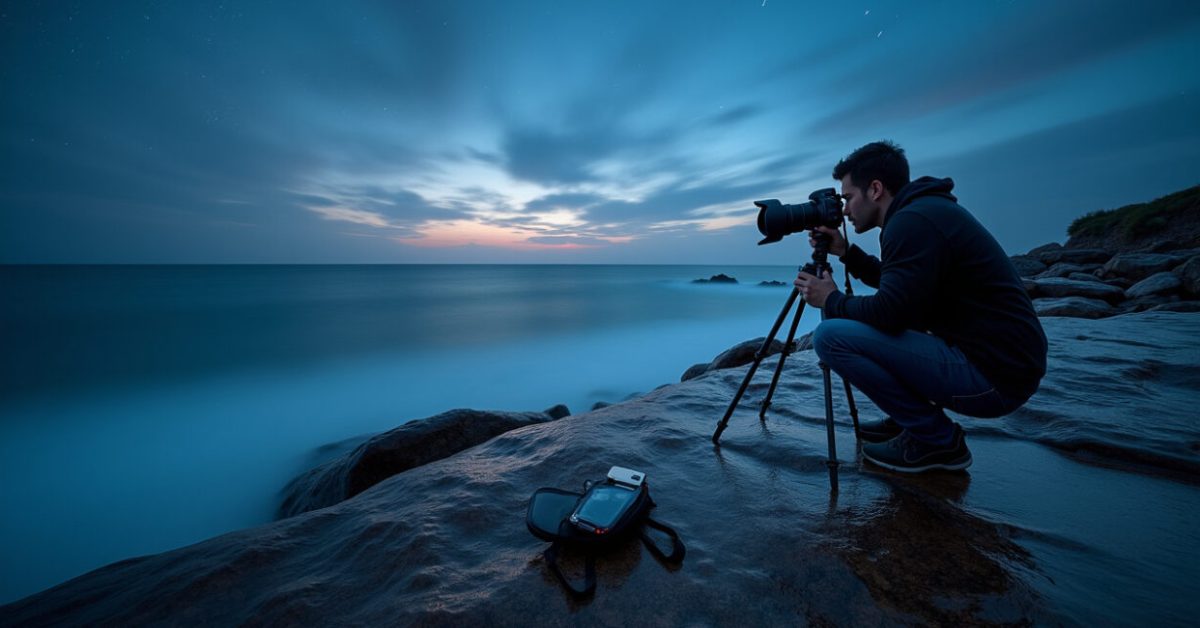

Wet rocks glowing like glass, clouds stretched into soft ribbons, stars arcing across the sky — that’s the power of long exposure. If you want cinematic landscape photos that stop a scroll, mastering long exposure is the shortcut. Here’s the set of techniques that actually work: filters that matter, how to calculate exposure, stabilizing tricks, and the mistakes that ruin a clean, dreamy image.
The Single Gear Choice That Changes Everything
A proper neutral density (ND) filter is not optional — it’s essential. For silky water and cloud streaks you’ll usually need 6–10 stops. For night motion and star trails, stack to 15+ stops or use interval shooting. Cheap screw-on NDs can add color casts; magnetic or high-quality multi-coated filters keep color shifts minimal. I prefer a 6-stop for dusk and a 10-stop for daylight. Long exposure without the right filter is like running a marathon barefoot — possible, but painful and messy.
How to Calculate Exposure Without Guesswork
Stop relying on bumps and start calculating. Use the “base exposure” method: set ISO to the camera’s native low (usually 100), pick an aperture for depth (ƒ/8–ƒ/11), and measure shutter speed with the ND filter removed. Then add ND stops to extend time. For example, a 1/60s meter reading with a 10-stop ND becomes roughly 16 seconds. Experiment and bracket ±1–2 stops. Precision beats luck: know your math, then tweak for mood.

The Stabilization Rules That Protect Your Image
Even tiny motion ruins a long exposure. Start with a solid tripod and a locked ball head or geared head. Use a remote release or the camera’s built-in timer. Turn off image stabilization — many systems introduce blur on tripods. Add weight to the tripod center column in wind. If shooting on rocks above surf, set feet wide and use a beanbag or sandbag under the camera. Stability is a creative tool: the sharper the base, the cleaner the motion effects.
Composing Motion: When to Use Short Vs. Extreme Durations
Not all motion needs 30 seconds. Short long exposures (1–8 seconds) smooth ripples and keep texture. Medium (15–60s) creates creamy rivers and bold cloud streaks. Ultra-long (minutes to hours) yields molten rivers and star trails. Choose duration for the story you want. A comparison: a 2-second waterfall shot preserves detail; a 30-second one turns it into silk. Expectations vs. reality: more time isn’t always better — it’s about intent.
Common Errors and How to Avoid Them
People repeat the same mistakes. Here’s a concise list of what to avoid:
- Using ISO higher than needed — increases noise dramatically.
- Forgetting to turn off stabilization — introduces blur.
- Trusting bad filters — cheap NDs add heavy color cast.
- Ignoring tripod stability in wind — leads to micro-shake.
- Underexposing night scenes — shadows become unusable in post.
Avoiding these turns good shots into great ones.
Cleaning Up Noise and Color in Post Like a Pro
Long exposure introduces heat noise and color shifts. Shoot RAW and expose to the right without clipping highlights — it reduces noise. Use dark-frame subtraction if your camera supports it for very long exposures. In post, use targeted noise reduction on shadows and preserve detail in highlights. Correct color cast from ND filters with a subtle white balance tweak and local adjustment layers. Post isn’t a crutch; it’s the polish that turns careful capture into cinematic output.
One Quick Mini-routine That Always Improves Results
On a foggy morning by the coast, I set aperture to ƒ/11, ISO 100, and metered 1/125s without filter. I spinned on a 10-stop ND and dialed to 8s, checked focus manually, and used a 2s timer. The first frame had motion but the second nailed the silk. That sequence — measure, attach, focus, stabilize, timer — is a 5-step ritual. Do it every time and you’ll cut mistakes by half.
Want references that back up technique? For physics of light and exposure timing, the U.S. National Institute of Standards and Technology publishes basics that clarify sensor behavior. For environmental conditions and safe shooting near water, consult official park guidance on tides and safety to plan sessions reliably.
According to NIST, sensor sensitivity and thermal noise behave predictably with exposure length. For tides and coastal hazards, check local authority updates like the National Park Service advisories before scouting.
Now go make one image that looks impossible: a scene everyone recognizes, but rendered in motion and time. The trick isn’t some secret setting — it’s choices. Pick them deliberately.
How Long Should a Long Exposure Be for Silky Water?
For silky water, aim for 1–30 seconds depending on flow and distance. Fast, close rapids often need 1–4 seconds to keep texture. Wider rivers or ocean surf benefit from 10–30 seconds to smooth waves into a glassy surface. Use a 6–10 stop ND in daylight and bracket a few frames at different times. If you want an ethereal blur with no texture, push beyond 30 seconds. Always check the histogram and adjust exposure rather than guessing.
Will Image Stabilization Help on a Tripod?
No — most in-body or lens stabilization systems can introduce blur when the camera is fixed on a tripod. Stabilizers expect small motions and try to correct them, causing micro-movements. Turn stabilization off (IBIS or VR/IS/OSS) when using a solid tripod. If you must handhold for shorter long exposures, keep stabilization on and use faster shutter speeds or higher ISO. When in doubt, test with stabilization on and off to see what your camera does.
How Do I Calculate Shutter Time with Multiple ND Filters?
Calculate by adding stops: each 3-stop filter multiplies exposure by 8 (2^3). Start with a meter reading without filters. For example, 1/60s at ISO 100 and ƒ/8, plus a 10-stop ND becomes ~16 seconds. Add a 3-stop ND on top and multiply by 8: 16 s × 8 = 128 seconds. Use a neutral density calculator app for convenience, but learn the math: every extra stop doubles exposure time. Bring extra batteries when exposures are long.

How Do I Avoid Color Casts from ND Filters?
High-quality multi-coated ND filters minimize casts; cheaper ones often produce green or magenta shifts. Fixes: shoot RAW, include a gray-card shot for reference, and set a custom white balance if possible. In post, adjust white balance and use selective color tools to target shifts without flattening the scene. If the cast is extreme, try stacking a different brand or using single high-quality filter instead of two mismatched pieces. Regularly clean filters to avoid smudges that exaggerate casts.
What’s the Safest Way to Shoot Long Exposure at Night?
Night long exposure needs planning: scout during daylight to pick safe footing and avoid hazards. Use a headlamp with a red mode to preserve night vision. Keep ISO low, use wide apertures if necessary, and bracket exposures to find the right balance. Use mirror lock-up or electronic first curtain to reduce vibration and a remote release or built-in timer. Be mindful of dew — carry lens cloths and a small hand warmer to fight condensation on long sessions.